← ritwiksharma.com
Soup
Soup · Live Ops · State of Undead Purge

Live ops

Most of the game runs from the website: a live 3D map that acts on the running game, the admin pages, a shared workspace, safehouse tickets, faction channels and a performance page.

Live ops from the browser

Most of the game runs from the website. The Live Ops page is a live 3D map of the server with every player, car, safehouse, shop, job spot and world event on it, and a side panel that acts on any of them in the running game. Most admin actions that exist in game have a web control too, so the world runs and gets fixed without anyone logging in.
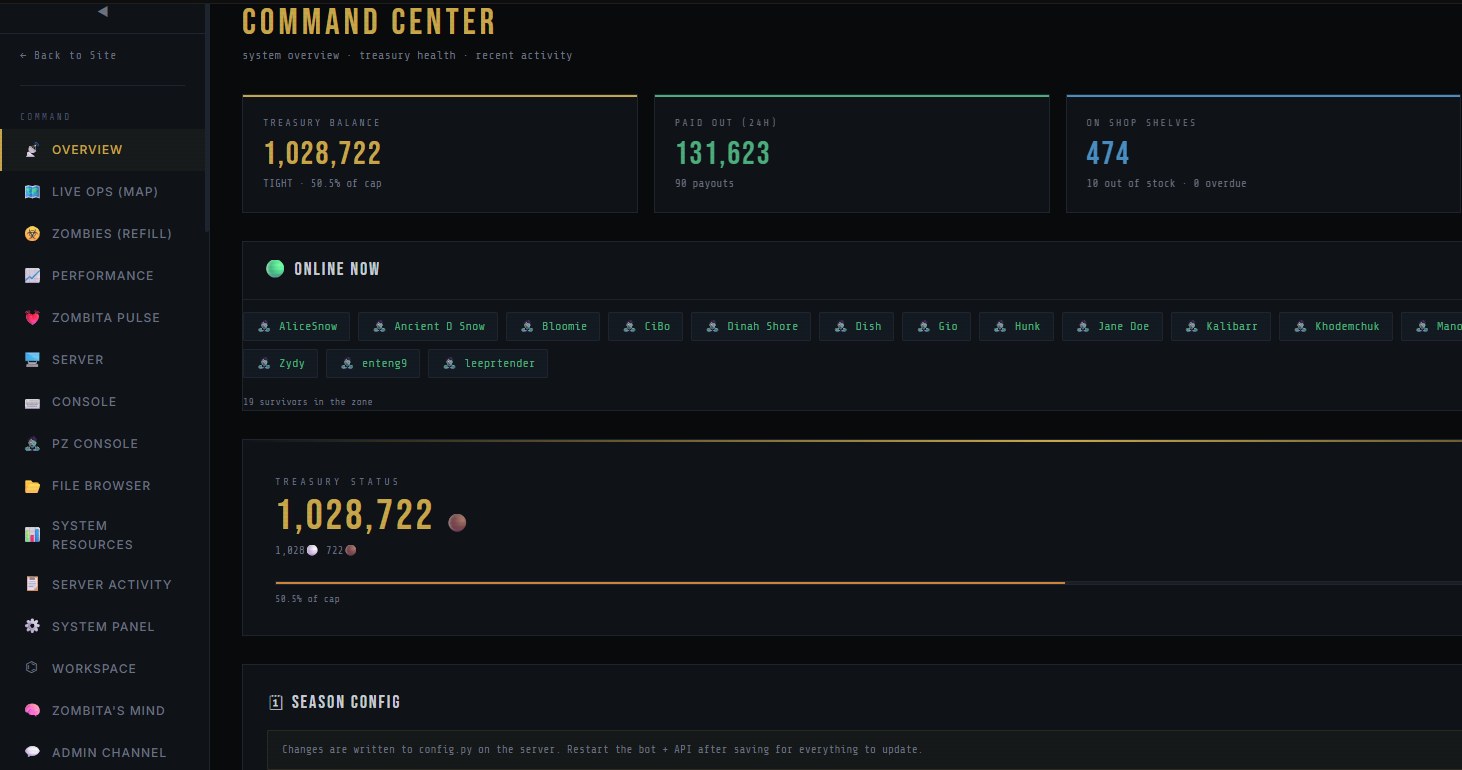
The Soup admin site's Command Center: treasury balance, 24-hour payouts, items on shop shelves, who is online, and a sidebar of admin pages.
The admin site's front page: the treasury, what was paid out in 24 hours, shop stock and who is online. The sidebar runs from Live Ops, Zombies and Performance to the server console, a file browser, the workspace and Zombita's mind.
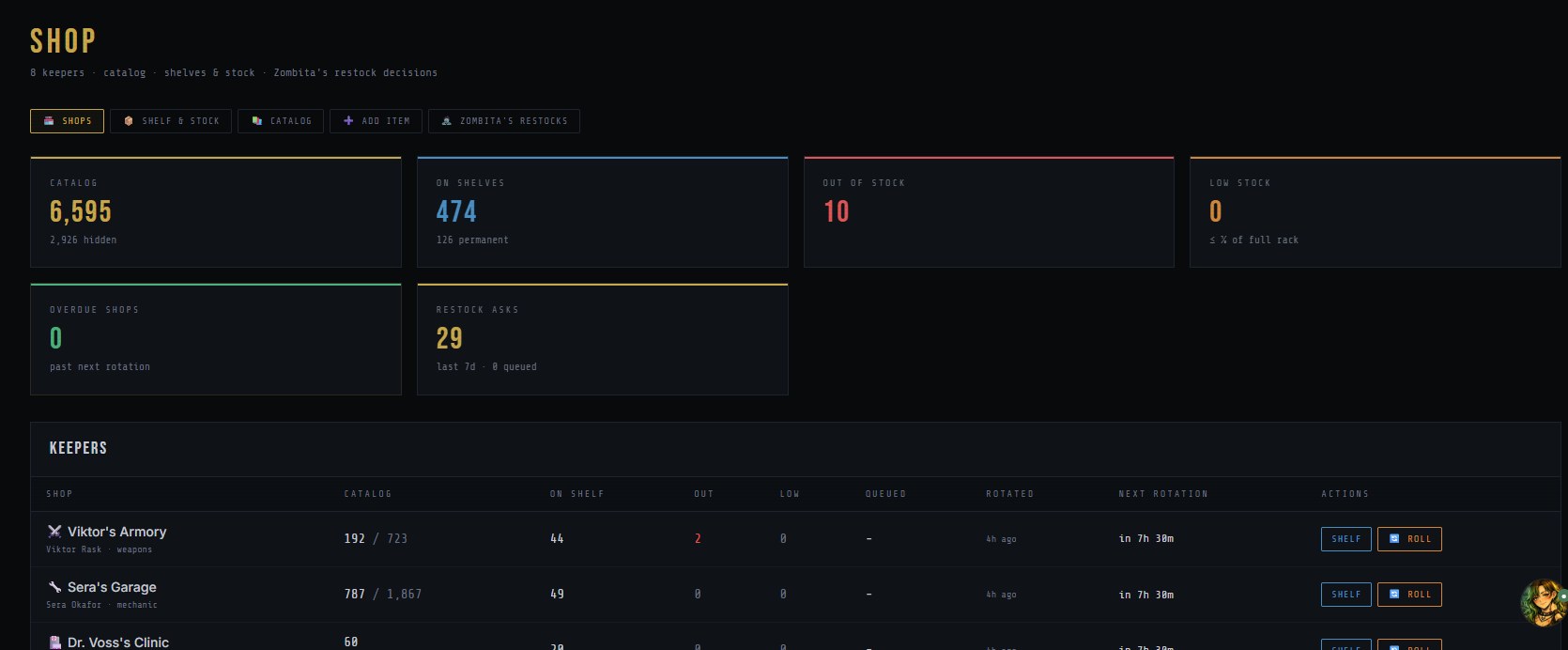
Admin Shop page: catalog of 6,595 items, 474 on shelves, restock asks, and a list of shopkeepers with their shelves and next rotation.
The admin Shop page: a 6,595-item catalog, what is on the shelves, each shopkeeper's stock and next rotation, and Zombita's restock decisions.
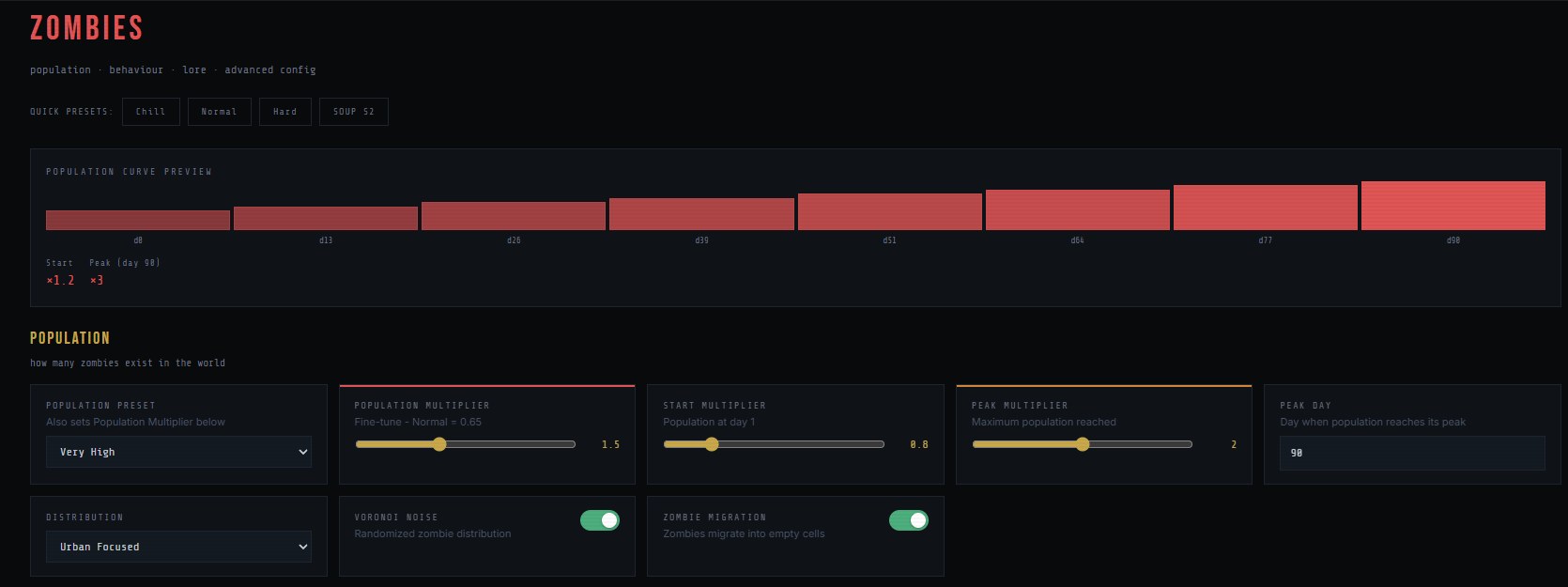
Admin Zombies page: quick presets, a population curve preview over the season, and population settings with sliders.
The admin Zombies page: presets, a preview of how the zombie population grows across the season, and every population and respawn setting.

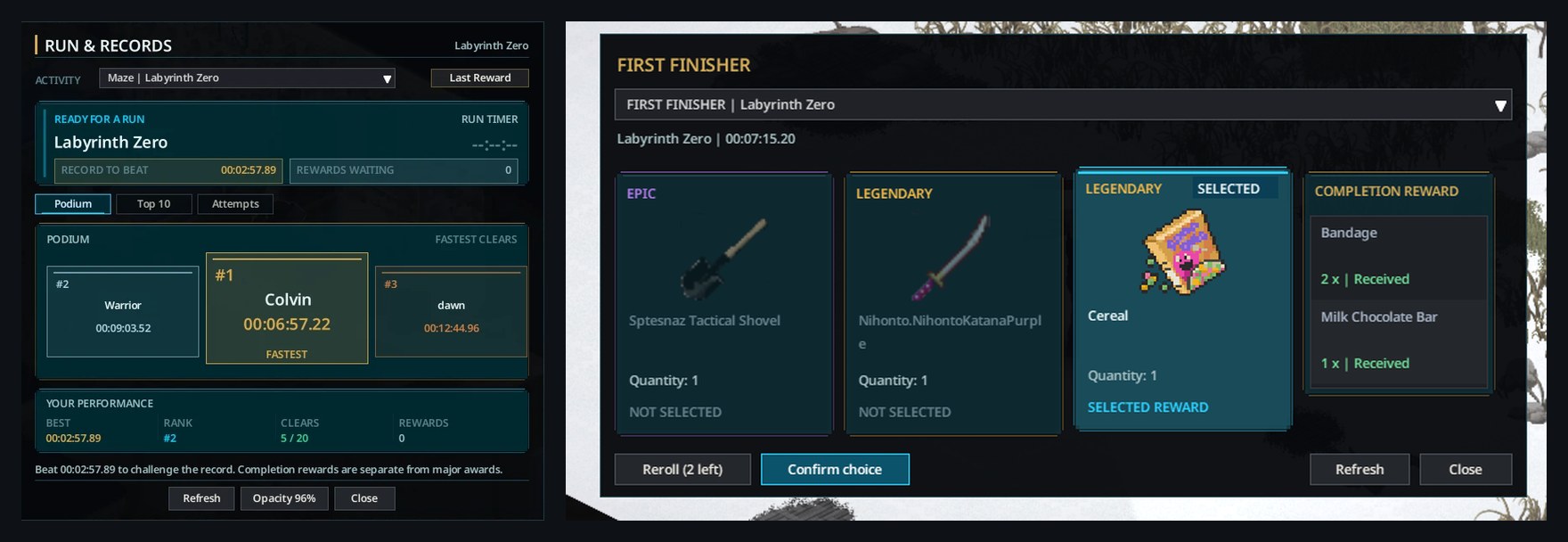
Not every tool is mine. Two come from Sheo, one of my fellow admins. Panther, the server's loot balancer and admin map intel, is hers, and so is Labyrinth Zero, a timed maze with records, a podium and a pick of rewards for the first finisher. It shows the loot respawn timers, what blocks a respawn, and which buildings players have already searched. Zombita's job and quest markers share the same map.
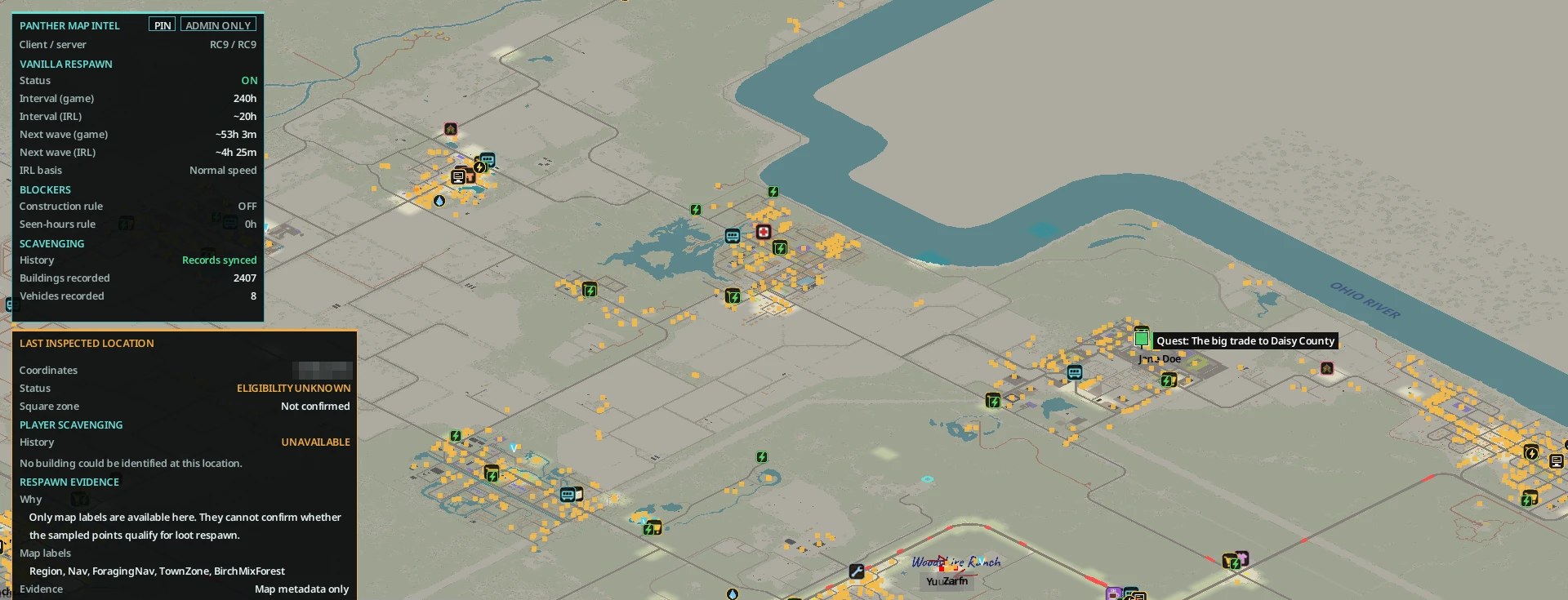
Panther Map Intel, an admin-only panel by Sheo: vanilla respawn timers, blockers and scavenging records next to the in-game map with Zombita's quest marker.
Panther Map Intel by Sheo, admin only: respawn timers, blockers and 2,407 recorded buildings, on the same map as a Zombita quest.
Labyrinth Zero's Run and Records window with the record to beat and a podium, and the First Finisher reward pick with epic and legendary choices.
Labyrinth Zero by Sheo: the record to beat, the podium, and the first finisher's pick of rewards. Screenshot by Warrior.
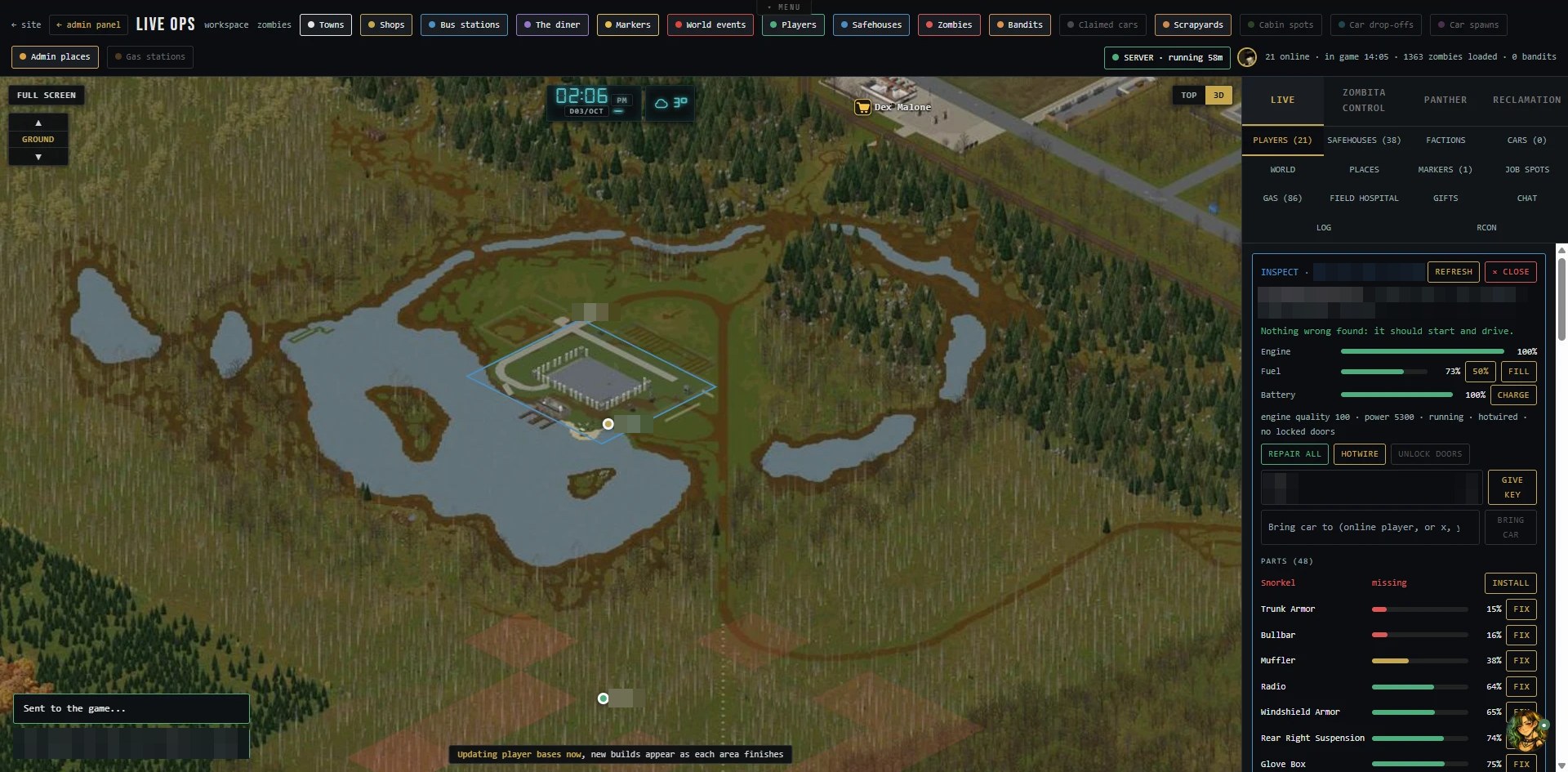
The Live Ops page: a 3D map of the server with players and places on it, and a car inspector open in the side panel.
Live Ops on a real evening, 21 players online. A player's car is open in the inspector: engine, fuel, battery and all 48 parts, each one fixable from here, plus hotwire, give key and bring car. Player names and coordinates are blurred.
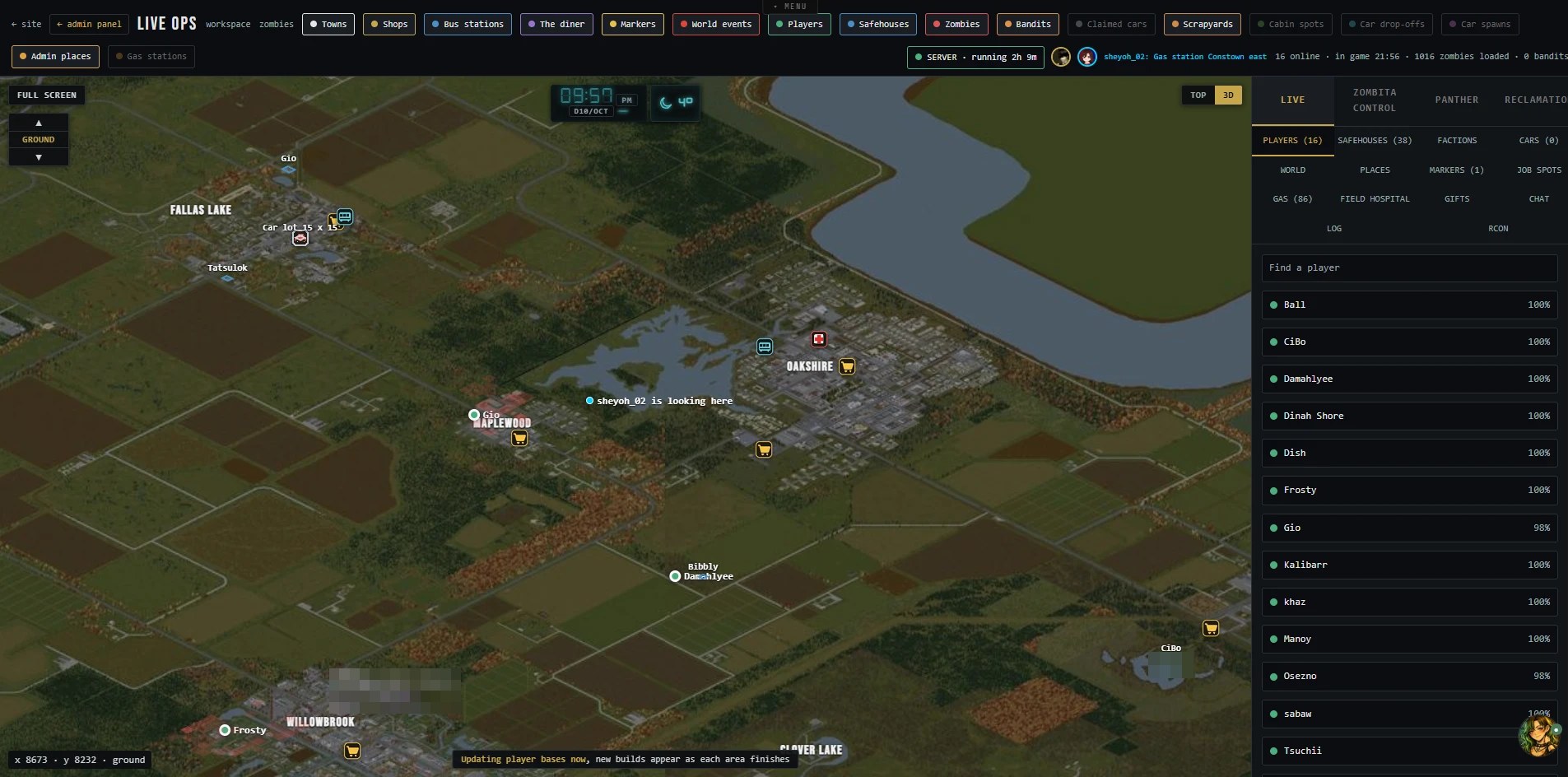
The Live Ops map zoomed out over several towns at night: all 16 online players by name on the map and in the side list, shops, bus stations and a medical post, and a live marker showing where another admin, Sheo, is looking right now. Faction and base spots are blurred.
The same map zoomed out on another night, 24 November 2026, with all 16 players online by name, towns, shops, bus stations and a medical post. It is live for the whole staff at once: "sheyoh_02 is looking here" is another admin, Sheo, and the marker moves as she pans the map. The top bar shows what she has open, the same way the workspace shows who is working on what. Faction and base spots are blurred.
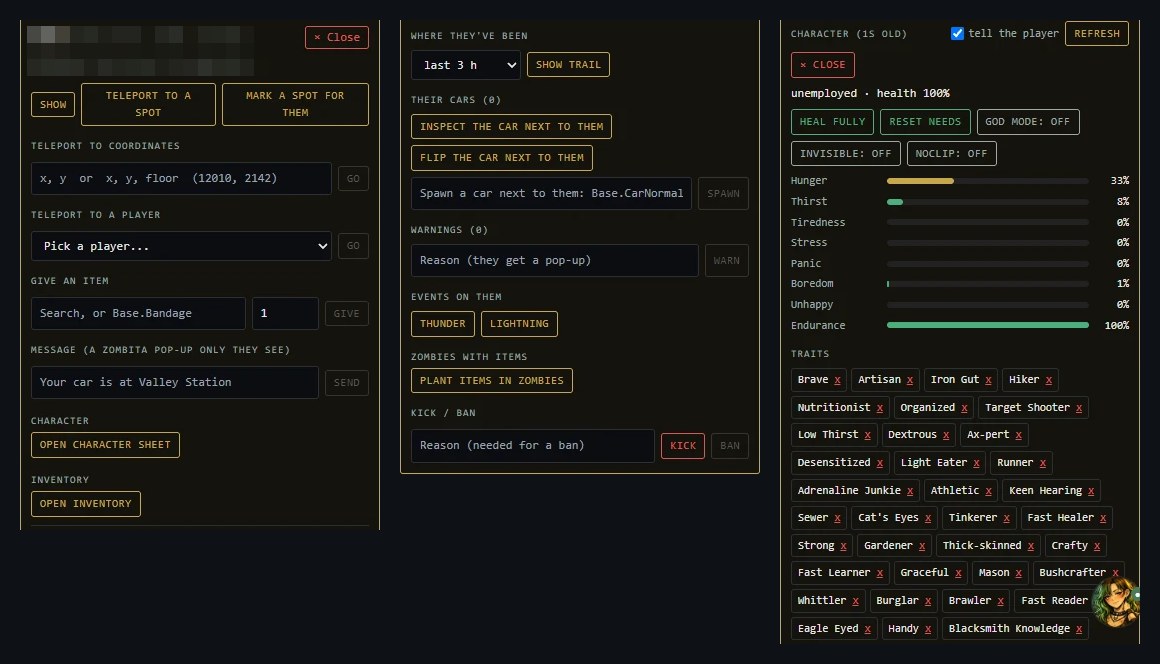
Three Live Ops panels for one player: teleport, give item and message; cars, warnings, events and kick; and the character sheet with needs and traits.
The player panel. Teleport, give items, send a Zombita pop-up, spawn or flip a car, warn, call thunder on them, plant items in zombies, kick or ban, and open the full character sheet with needs, traits and skills, all while they play.
A real rescue, filmed from both sides. On the left, my Live Ops page; on the right, the player's game. He was stuck in a teleport desync with a broken car. From the browser I teleport him (after a confirm), Zombita tells him to wait, the car is brought to him and repaired, and he drives off. 54 seconds, no sound.

The public 3D map

Players get their own version of the map on the website. It zooms from the whole server down to the furniture inside each house, shows who is online and where, the shops, bus stations and the diner, and the current world event. It follows the game's clock and weather: dawn, evening and night looks, sunrise and sunset moving with the month, and rain, snow, fog and lightning when the game has them. Player bases are redrawn on the map as they build.
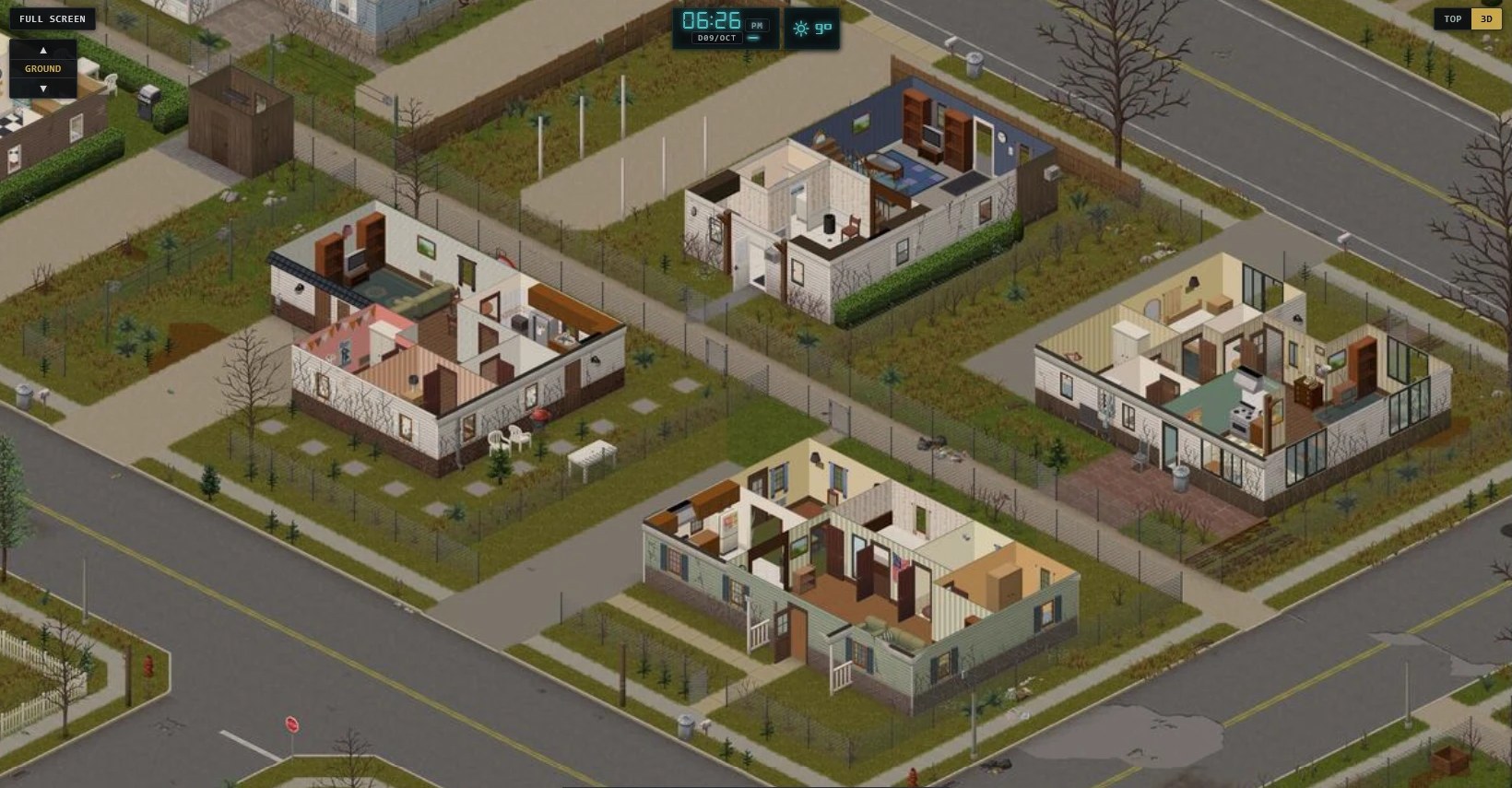
The public 3D map zoomed in on a street: houses with their rooms, furniture and gardens.
Zoomed all the way in: houses with their rooms and furniture, in the game's own art.
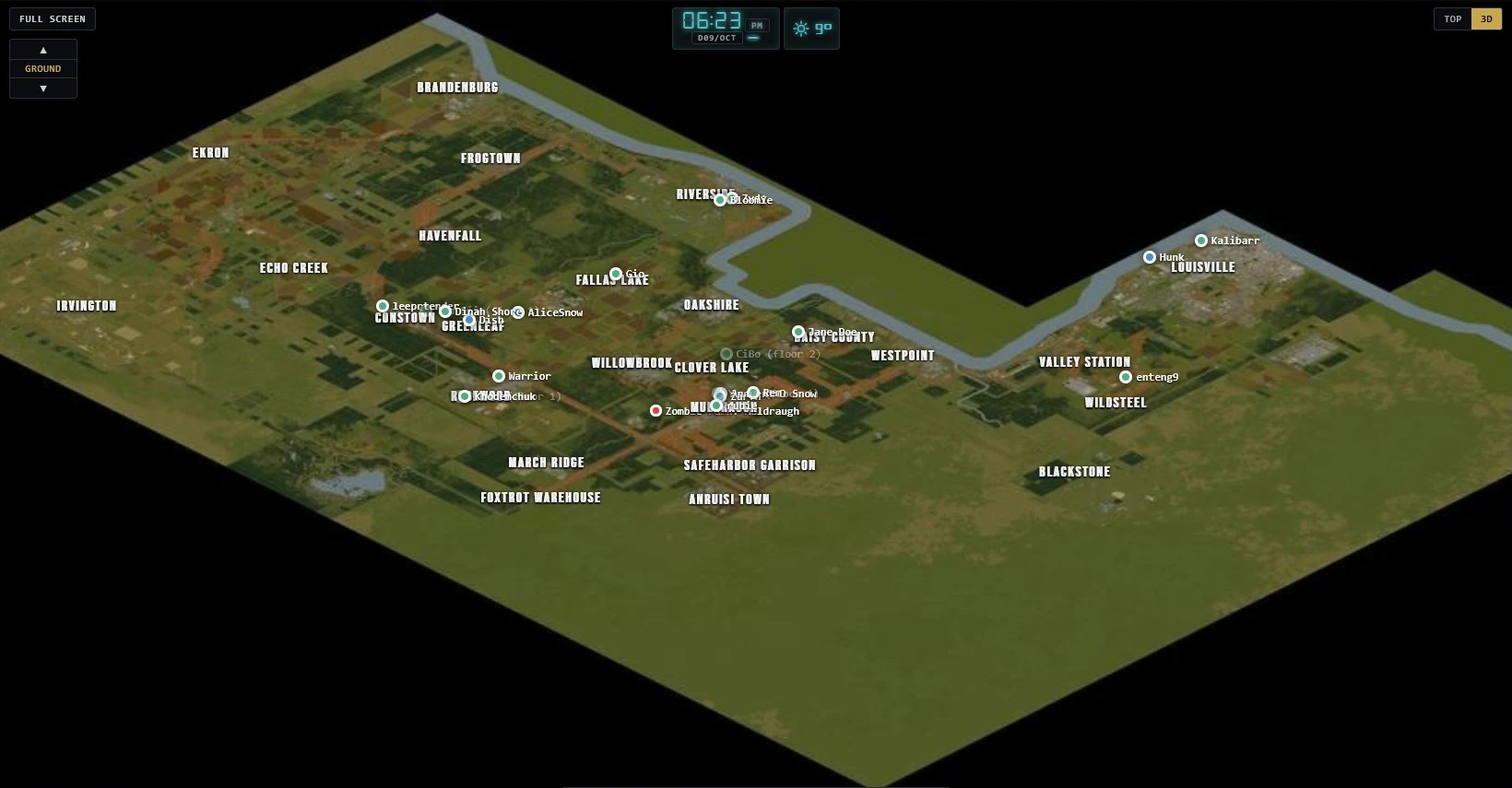
The public 3D map of the whole server with town names, 21 online players and a Zombie rain event.
The whole server: towns, 21 players online, and a Zombie rain event over Muldraugh.
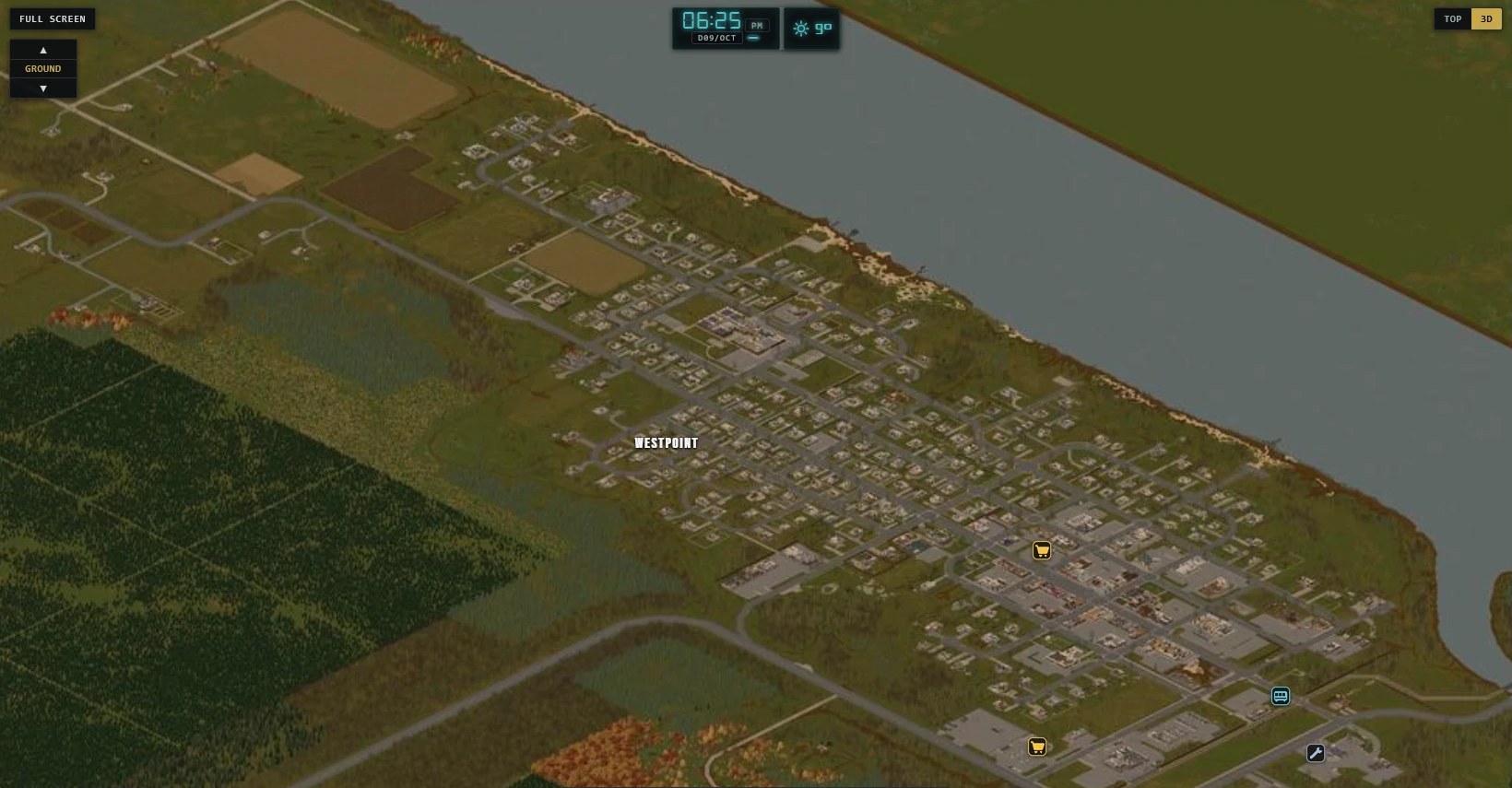
The public 3D map over the town of Westpoint by the river, with shop and bus station icons.
One town, with its shops and bus station.

The admin workspace

My admins plan and run the server in a workspace I built into the site, which works like Google Docs and Sheets. It has four kinds of document: rich-text docs, spreadsheets, kanban boards, and the server's own config files. Everything syncs live through my own WebSocket relay on Yjs, so when two admins edit the same page they see each other's cursors and changes as they type. Every document keeps a change log and versions that can be rolled back.

The config editor is the careful one. The live copy of servertest.ini or SandboxVars.lua is only a draft. Nothing touches the real file until an admin saves, the backend checks the syntax, and only then writes it, so a broken merge can never reach the running server.
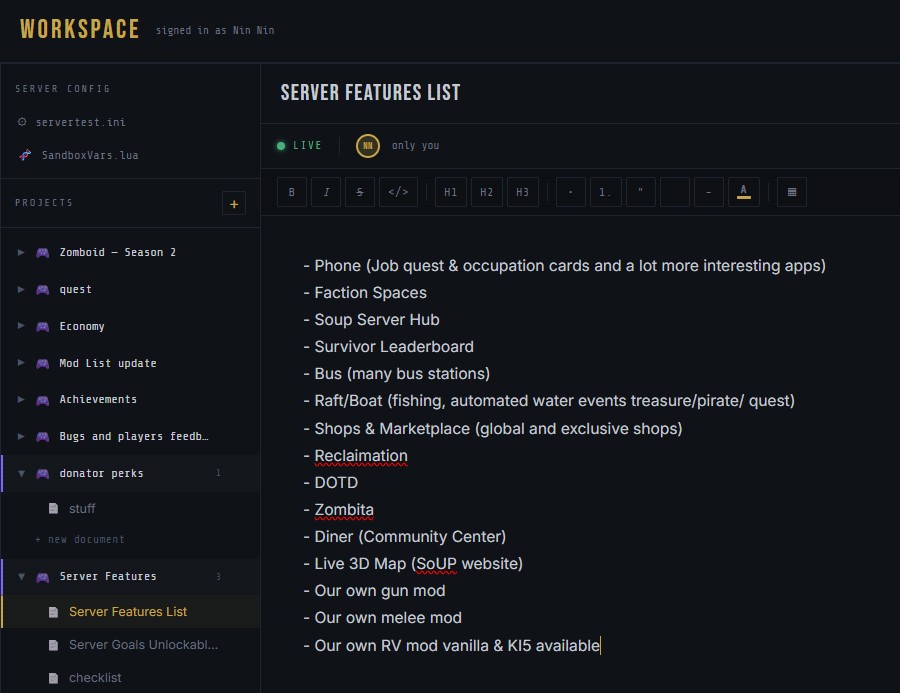
The admin workspace: server config files and project folders on the left, and a live document listing the server's features on the right.
The workspace with the server's feature list open. The server's two config files sit at the top left, with project folders below them.

Safehouse tickets

Players grow their safehouses through a ticket. Zombita opens a private Discord channel with a link to the player's own map page, where they drag the edges of their safehouse box out on the live 3D map and see the tile count and the price change as they drag. The page enforces the rules: a new tile next to the old boundary costs 2 bronze, each row further out costs 1 more per tile, the biggest safehouse is 59 x 49, and it can never touch another safehouse.

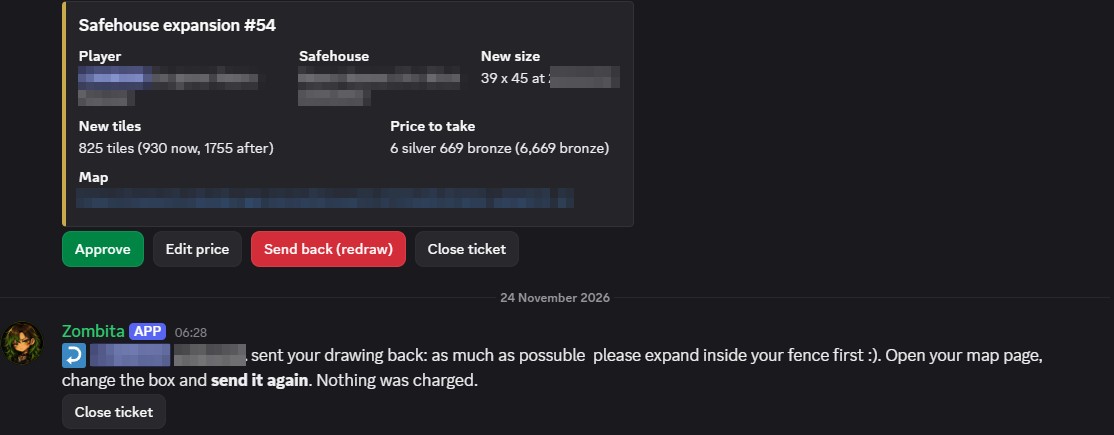
When the player sends it, a card lands in the channel with Approve, Edit price and Send back. Nothing leaves the player's wallet until an admin approves, and a sent-back drawing comes with the admin's note so the player can redraw. The same page turns a safehouse into a faction safehouse, which needs both the owner and the faction's leaders to agree before an admin approves it.
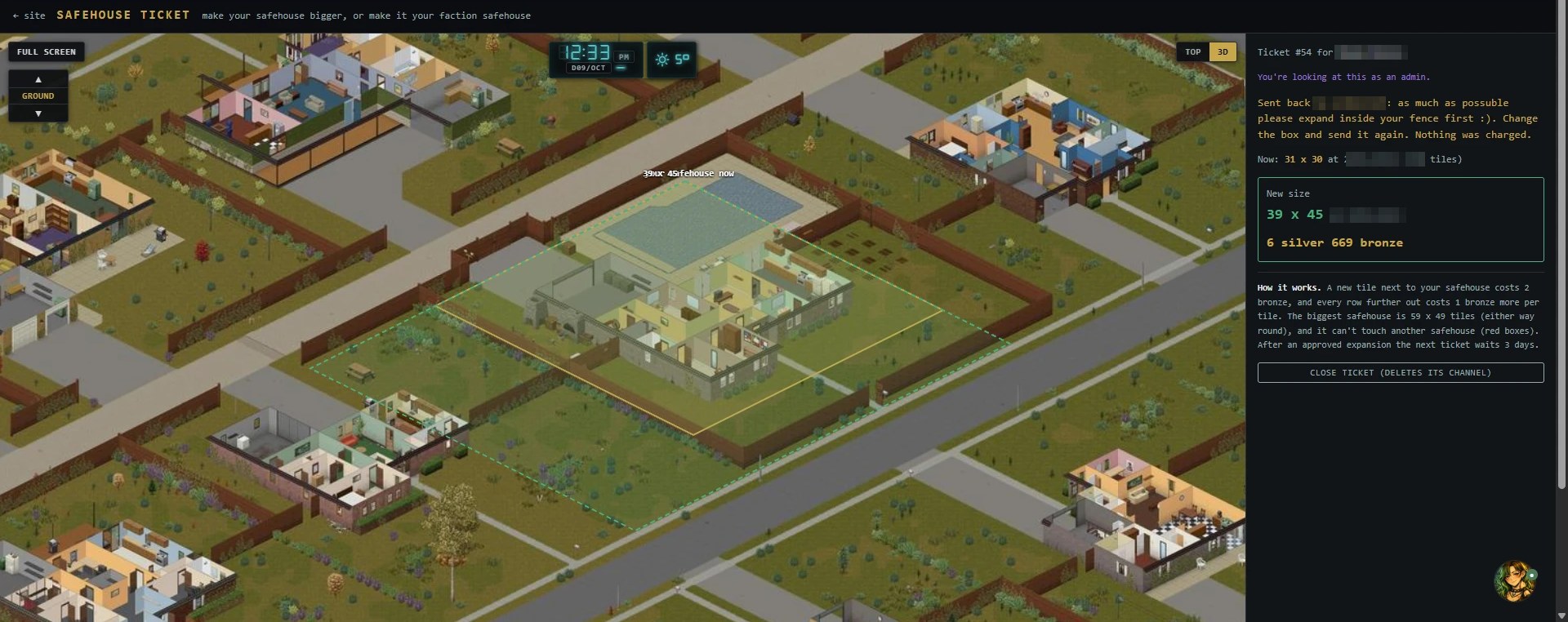
The safehouse ticket page: a dashed box drawn around a house on the 3D map, and a side panel with the new size, the price and an admin's note.
A ticket on the map page. The dashed box is the player's drawing, 39 x 45 for 6 silver 669 bronze. An admin sent it back with a note to expand inside the fence first. Names and coordinates are blurred.
The ticket card in Discord with Approve, Edit price, Send back and Close ticket buttons, and Zombita's message that the drawing was sent back.
The same ticket in Discord. The card shows the new tiles and the price, and the admin decides. When it was sent back, Zombita told the player and confirmed nothing was charged.

Faction channels

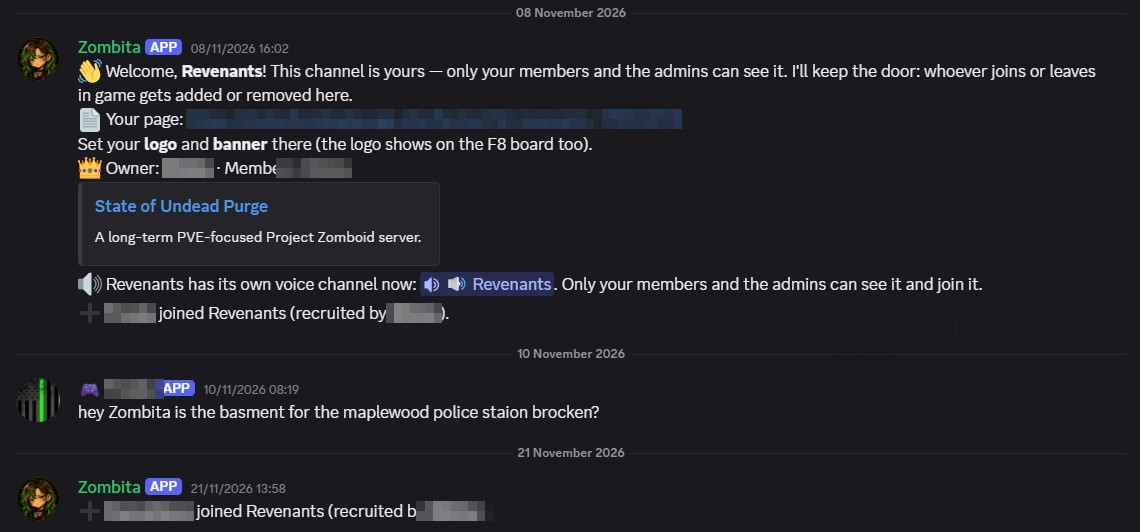
When players form a faction in game, Zombita opens a private Discord channel and voice room for it and keeps the door: whoever joins or leaves the faction in game is added to or removed from the channel, and she posts each new member and who recruited them. Every faction also gets its own page on the site to set a logo and banner, and the logo shows on the in-game F8 board too.
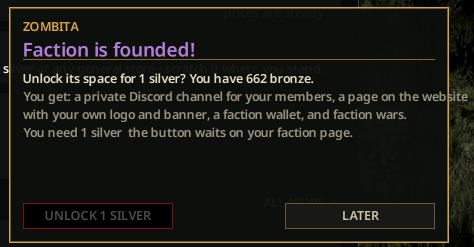
In-game pop-up from Zombita: Faction is founded, unlock its space for 1 silver to get a private Discord channel, a website page with logo and banner, a faction wallet and faction wars.
In game, the moment a faction is founded: one silver unlocks its Discord channel, its page on the website, a faction wallet and faction wars.
A faction's private Discord channel: Zombita's welcome message with the faction page link, owner and members, the new voice channel, and join notices.
A faction's channel from its first day. Zombita welcomes them, links their page, opens their voice room and posts each recruit. Player names and the page link are blurred.
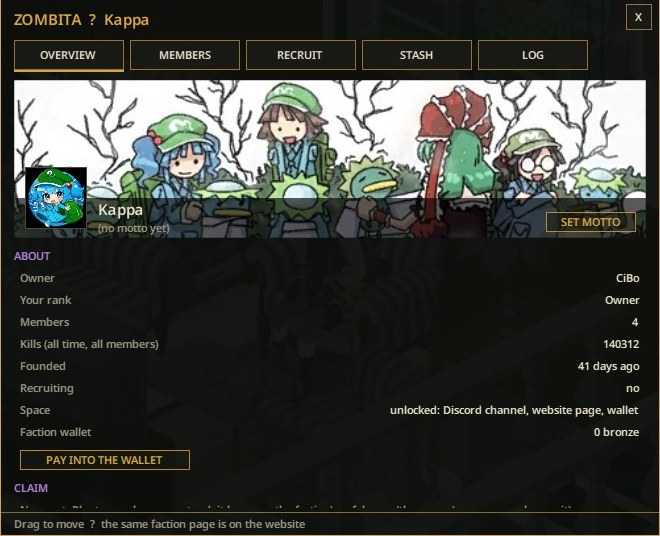
A faction's window in game: its banner, owner, members, kills, what its space unlocked and its wallet.
Running a faction in game: banner, members, kills, what its space unlocked and the faction wallet. Screenshot by CiBo.
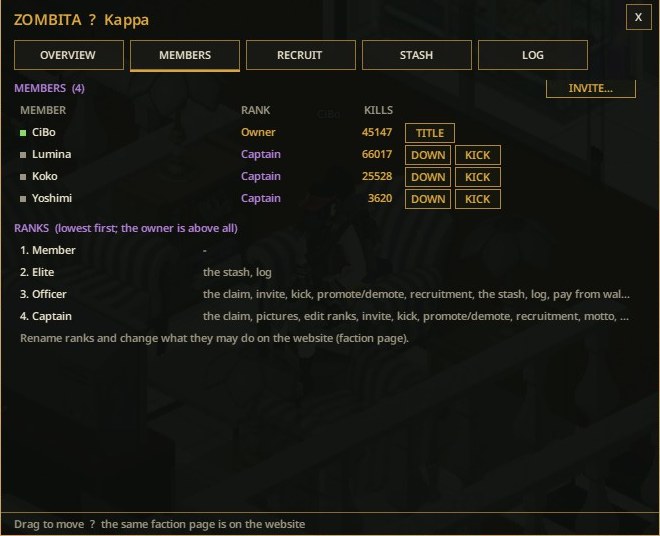
The faction's members tab in game with ranks, kills, promote, demote and kick, and what each rank may do.
Members and ranks, with what each rank is allowed to do. Screenshot by CiBo.
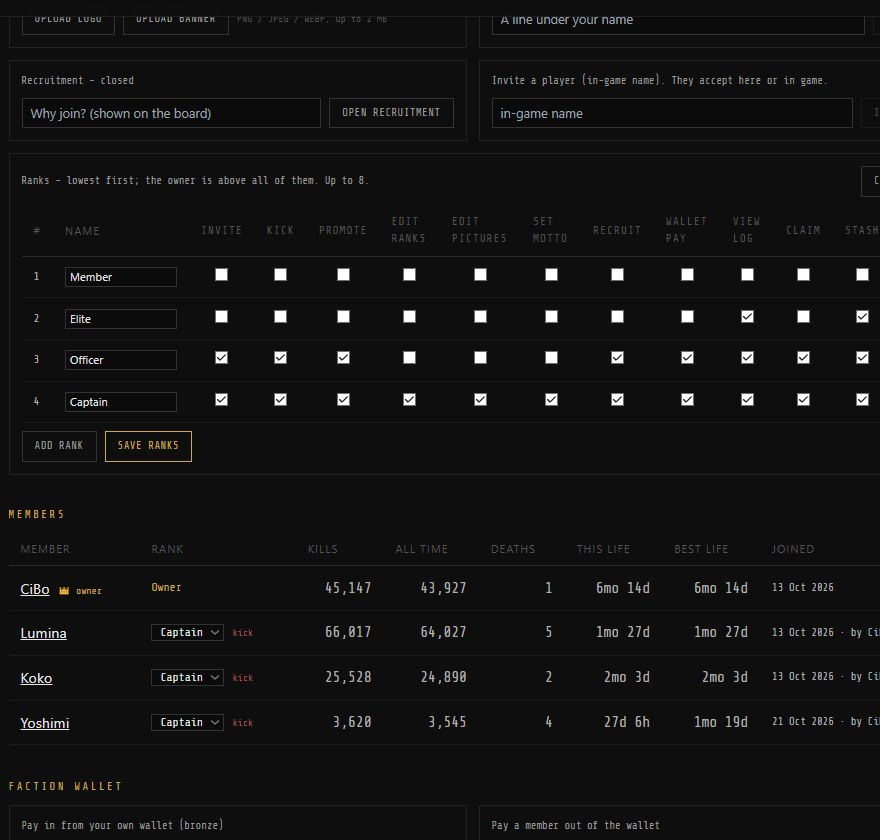
The faction page on the website: recruitment, invites, a grid of permissions per rank, members and the faction wallet.
The same faction on the website: recruitment, invites, a permissions grid for every rank, and the wallet. Screenshot by CiBo.

Player clips

Players send clips from the website's Clips page after logging in with Discord. Discord only takes small files, so the full videos live on the site, and each new clip is posted for everyone with a card for it in the staff feed. Its other quality versions wait until the server is quiet, so the encoding never competes with the game. One Remove button takes down the post, the files and the gallery entry together, from Discord or from the admin panel.
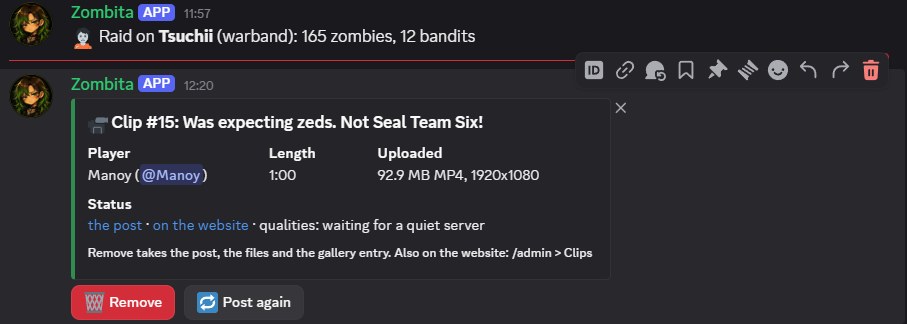
Zombita's staff feed in Discord: a raid on Tsuchii's warband with 165 zombies and 12 bandits, then a card for Clip 15 by Manoy, 1 minute, 92.9 MB, 1920x1080, with links to the post and the website, its other qualities waiting for a quiet server, and Remove and Post again buttons.
Zombita's staff feed, 24 November 2026. Above, she logs a raid: 165 zombies and 12 bandits on Tsuchii's warband. Below, Manoy's clip has come in, a minute long at 1080p, with links to the post and the website page, and Remove and Post again buttons for the staff.

Performance from the outside

The Perf page reads the server from files outside the game, so it keeps working when the game is struggling. It shows ticks a minute against the 500 the game needs to keep up, what is loaded (zombies, cars, animals, and zombies near players), the box's load, memory and CPU heat, and the Lua handlers that cost the most time in the last minute, from my own profiler that wraps every mod's event handlers. Its Changes tab shows what changed in the mod list or server settings, before and after, so a slow evening can be traced back to its cause.
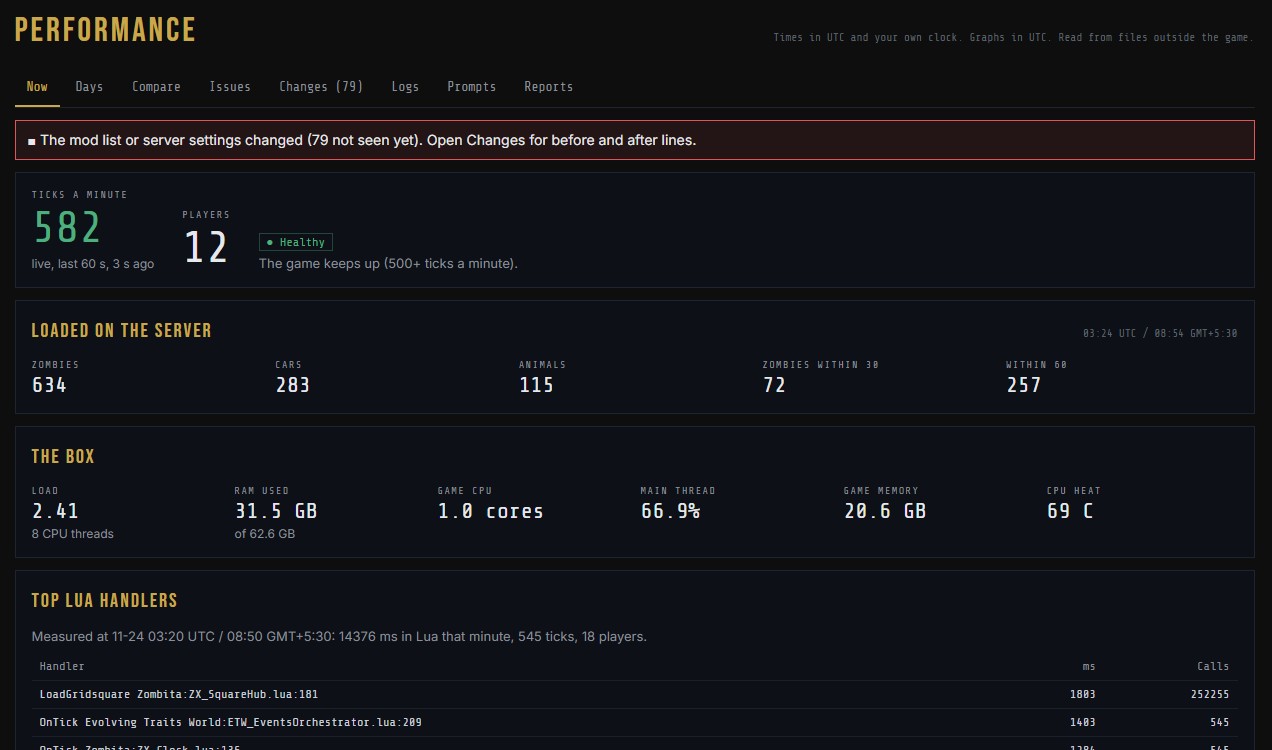

The Perf page: 582 ticks a minute with 12 players marked Healthy, counts of loaded zombies, cars and animals, the box's load, memory and CPU heat, and the top Lua handlers.
A healthy minute: 582 ticks with 12 players online. Below it, what is loaded, how the box is doing, and the Lua handlers that cost the most time that minute.
Zombita in the staff feed: Server settings changed. At 07:04 UTC on 24 November 2026 servertest_SandboxVars.lua changed one setting, Yoga XP multiplier from 0.75 to 1.0, with a pointer to the Changes tab on the Performance page for the full list.
And it speaks up. When anyone changes a server setting, Zombita posts it to the staff feed: which file, which setting, the old and new value, and where to see everything on the Perf page's Changes tab. Here the Yoga XP multiplier went from 0.75 to 1.0.
Related work